Showing posts with label workstation. Show all posts

Sunday, March 29, 2009

Mac OS X 10.4.6

Finally got mac OS X up and running on vmware workstation . However , it is awfully slow to use on it because firstly you can't install vmware tools on it and secondly only one processor can be used. If two processors are selected then it simply won't boot up. So there's practically no point installing it on a vm unless you just want to play around with it , although there isn't much stuff that you can do. Anyway , here are the screens:


Wednesday, March 25, 2009

How to install windows 7 on VMware Workstation

Here are the instructions to install windows 7 on vmware workstation:

1. Download vmware workstation . Link: http://www.torrentreactor.net/torrents/956758/VMware-Workstation-6-0-0-45731-with-keygen

2. Install it on your hard disk.

3. Download the iso of windows 7. Link: http://thepiratebay.org/torrent/4602971/Microsoft.Windows.7.Beta.1.Build.7000.x86.DVD-GENUiNE.iMAGE

4. Open vmware workstation.

5. Click on "New virtual machine"
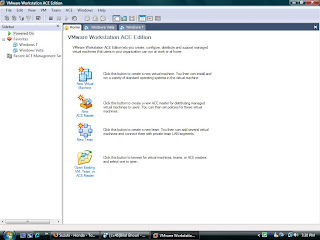

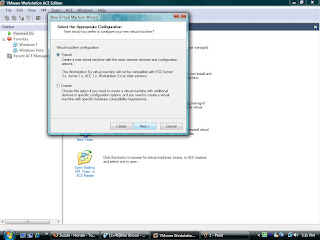
6. Select "Typical" and click on next.


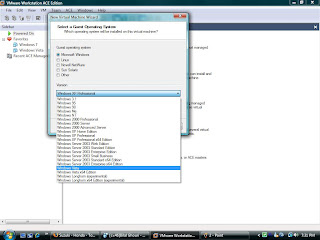
7. Select "Microsoft windows" and select windows vista.


8. Name your virtual machine and save it anywhere on the hard disk.

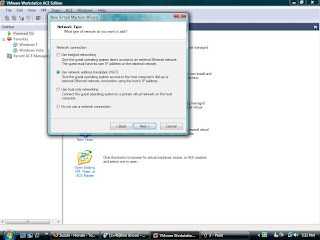
9. Select the 2nd option (NAT).


10. Create the virtual hard disk allocating it 30gb or perhaps 20gb would be enough.
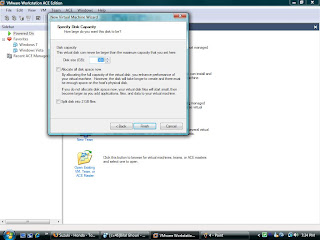


11. Click finish.

12. Go to your newly created virtual machine and click on "edit virtual machine settings"
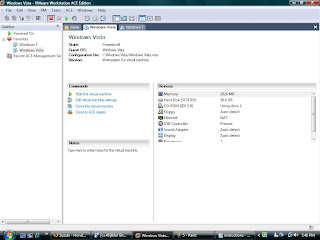


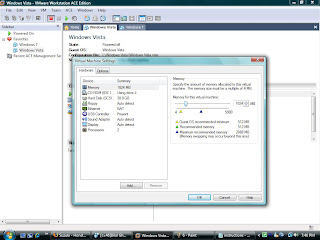
13. Select memory and give it atleast 1gb RAM.


14.Select CD-ROM and check "use iso image" and browse and select the iso of windows 7.
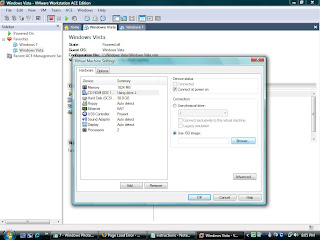


15. Choose processors . 1 if you have a single core or 2 if you have a dual or quad core.
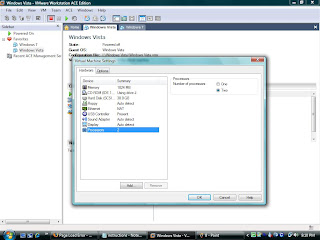


16. Next start your virtual machine.

17. It will load the installation for windows 7 and then you just install it by following the instructions provided by the installer.

Have fun =)

Saturday, March 21, 2009

Windows 7 (beta)

Just installed Windows 7 on a virtual machine .
The specs of the virtual machine are
Core 2 quad (2.4ghz) (2 processors)
1 gb Ram
30 gb HDD

To be honest it's much better than vista although i couldn't use the dedicated video card in it since the virtual machine used it's own graphic accelerator. But otherwise it's very stable and great performance .
In short, it's vista with some polish and excluding all the bugs in vista. I'll definitely be making this my primary OS once the full version is out . Currently i'll have to live with vista